Showing posts with label photoshop. Show all posts

Saturday, February 15, 2014

Grass Creation

The next thing I started to tackle in my scene was grass. It was something that easily gives life to a barren environment. I started by modeling out the blades of grass for my texture. I baked out the texture similar to what I did for the branch, and I applied that to a plane to get my alpha grass.  Instead of adding one plane of grass at a time in CryEngine, I positioned a small batch of planes in 3ds Max and linked them to a dummy.  That way, in CryEngine the vegetation brush will paint multiple planes to quickly populate grass.


With that, I exported the dummy and started to practice painting in grass.  This is the result.


Overall it was super exciting to see the grass in engine!  After getting feedback, one thing that did bother me was how uniform all of the grass was.  They were all even and parallel which looked unnatural, so going back into 3ds Max and Photoshop, I adjusted the blades to give it more variety and a natural look.  The new line of grass models looked like this.


I'm much happier with the adjusted version.  It still looks a little bit sparse, but I'll continue making adjustments.

Tuesday, January 28, 2014

Monastery Scene

So!  FuturePoly was an amazing experience.  Not working on environments for so long really had me rusty.  Even with the lumberjill project I worked on, the process was more time consuming than it should have been.  The 3D modeling class really opened up the excitement I had while I attended DigiPen.

Creating something of your very own from scratch is so fulfilling, especially seeing the fruits of your labor piece together into something bigger.  The project for the FuturePoly class is to create an environment in CryEngine.  Everything will be done from scratch by myself.  Since this project is mainly about modeling, I'm using a concept that's already been created that speaks to me in design and composition.

This breathtaking speedpaint was done by Daniel Kvasznicza. You can find his other works at www.inetgrafx.com!


The first thing I want to work on is building foliage.  I'll document my process as best as I can!  My first step is planning out the branch I want.  The trees I make won't be that large and unique, as I want to create a shape that can easily repeat without being too obvious.


I compile a rough texture map of the leaves and a petal.  Using that as a template, I model out the pieces.  Here, you can see the density of the models.  In modeling out the thickness of the leaves, I'll be able to get nice details in a projection map.  From there, I create a branch and place the leaves along it.


My next task is the creation of the trunk.  To add in some variation to the forest, I make two alternate tree bases.  Using the projection map of the branch, I fill in the rest of the tree.  I took the first tree into the engine, and the results look good to me!


Tuesday, October 29, 2013

Virtue: Indie Speed Run


Hey guys, it's been a while! I just wanted to post some art that I did for a game jam called Indie Speed Run (http://www.indiespeedrun.com/). I was on a team of four with Bryan Bishop, Craig Sutton, and Branden Gee. The gist of the competition was that each team had 48 hours to create a game with two randomized keywords. Ours happened to be "trickery" and "berry bush". We wanted to create something non-obvious, something that was a little different and compelling. So the game we created was Virtue. In the game, you're being led through a series of trials by an omniscient being that judges your morality based on your choices. Through the games you play, you slowly learn that the being is trying to manipulate you into wrongdoing. The depiction of your morality is visually represented as a bush that morphs and grows as you progress through the game.

Danny Huynh: http://www.dannyhuynh.com/
Branden Gee: http://www.theplanningfallacy.com/
Bryan Bishop: http://www.bryan-bishop.com/
Craig Sutton: http://www.craig-sutton.com/

The omniscient being.
Good bush progression.
Bad bush progression.


Wednesday, May 1, 2013

Chinese Character Ideas

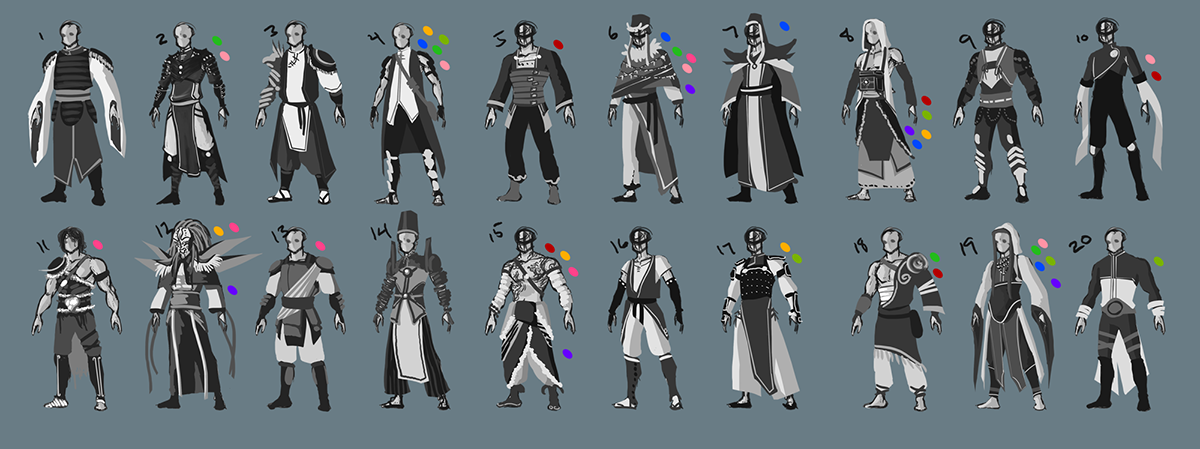
My next project is going to be creating a character that fits into the Dynasty Warriors world.  Here's a few ideas I've been throwing around.

Character Description:
This is a Dynasty Warriors character.  He isn't a typical fighter though.  He relies more on cunning and carefully planned tactics.  He is a strategist that heavily relies on magic and mysticism.  He is a wanderer, but he does not have a ragged, worn down appearance.  He is very deliberate in his appearance and personality.

These are the thumbs I started with...


...and this is the character I'm ending with.  I'll have a more tied down drawing of him, but this is close to what I'm imagining.


This is the idea I had in mind for the base he'll be standing on.  There are many cupboards and drawers that hold ingredients, scrolls, potions, things he uses in his rituals and planning.


Friday, April 5, 2013

Punk Psylocke

Here's a for fun painting I did of Psylocke with a more punk-y design.

Thursday, April 4, 2013

Bomberman

Here's a realistic interpretation of Bomberman.  I played yesterday with some friends, realized I'm the worst at that game.


Saturday, November 17, 2012

The Light Bearer

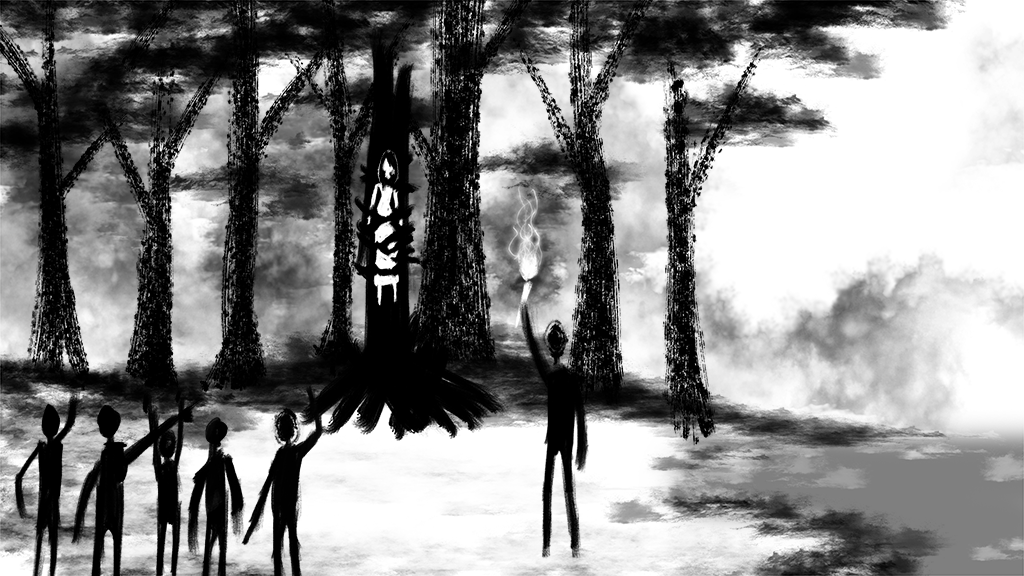
A painting I did for fun in my spare time.  Alan Wake/Limbo inspired!


Thursday, November 15, 2012

Dynasty Warriors Concept


I'm not dead yet!  Here's a concept of a character I want to model.

My goal is to make a design that fits into a Dynasty Warriors game.

I'm going to incorporate a lotus theme a little more into the armor design.  I'm also gonna make it a little more ornate and vibrant, right now it's looking too plain to me.  There'll be a better picture later to follow!

Thursday, August 9, 2012

Miner Girl

An idea that I had for a character project.


Wednesday, May 2, 2012

Concept Art: Final Posting

Well here's the last few pieces I've been working on!  And with that, I've graduated.